The builder
Nothing is sent until you press “Send project”.
- nine trades with ready copy
- eight starter templates
- a live preview from the first second
A website builder for small service businesses
A hairdresser, a garage, a tutor or a photographer types the business name and sees a finished page from the first second, with copy written for their trade. The rest changes with a click. They pay only once they like the page and it runs on their own domain.

The problem
The owner of a salon or a garage has no time for a builder that starts with a blank page and a template full of Lorem ipsum. They do not know what to write under “About us” either. An agency will do it for them, but it wants a deposit and shows the first draft two weeks later.
Panel Biznesu turns the order around. Content comes first: for every trade there is a pack with copy, photos and a layout that works for the competition. The client types only the business name and then fixes whatever does not fit.
How a site gets built
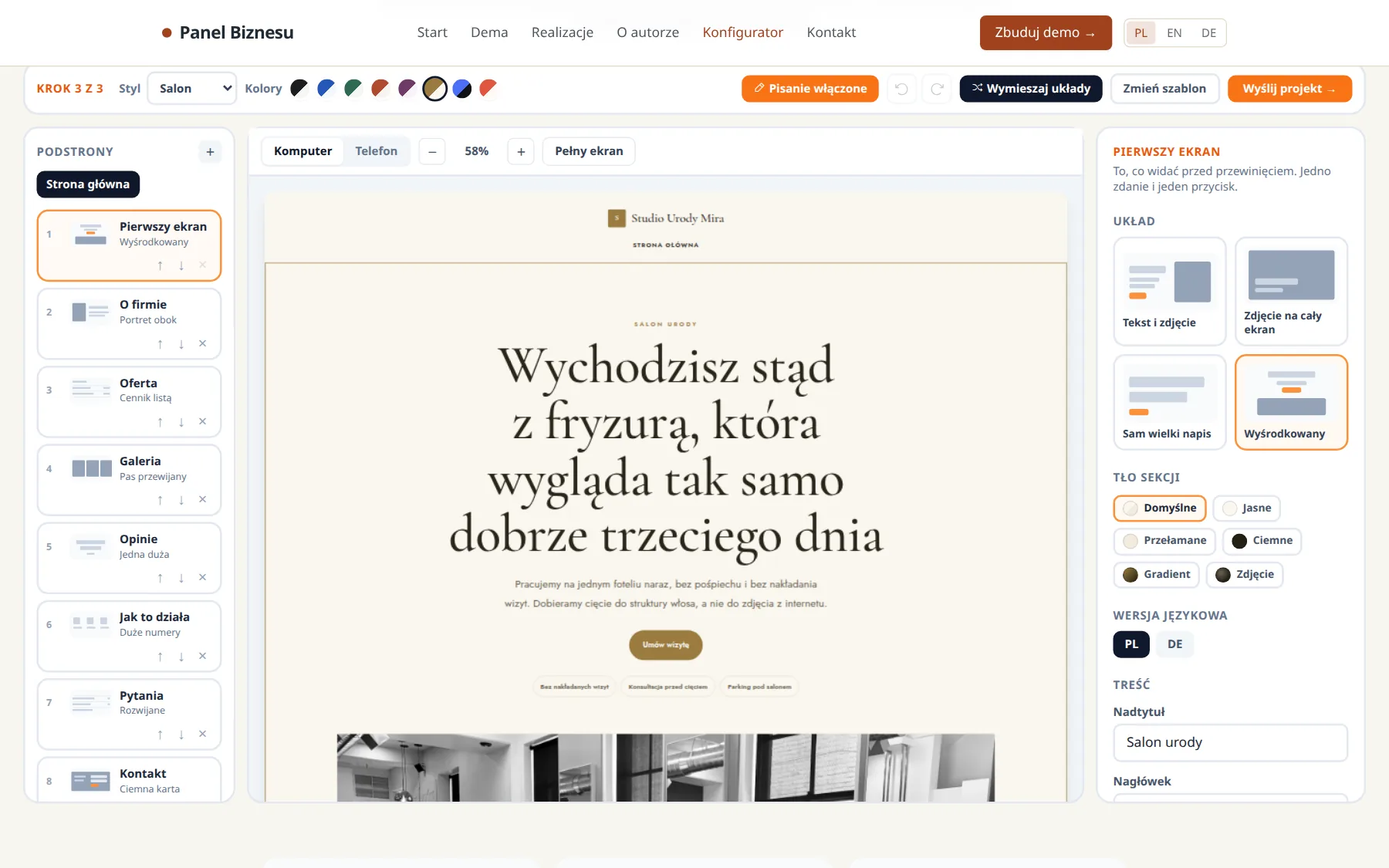
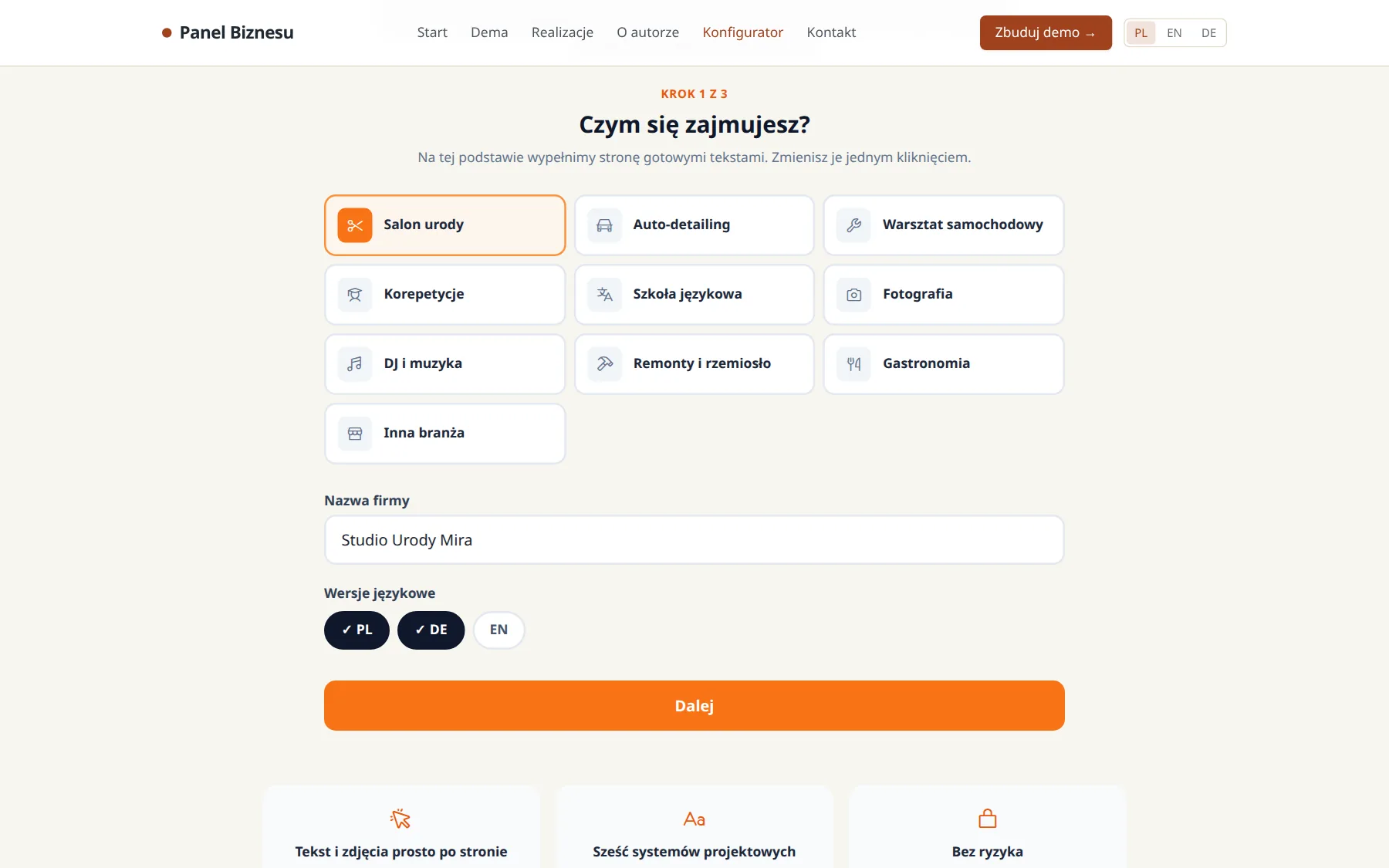
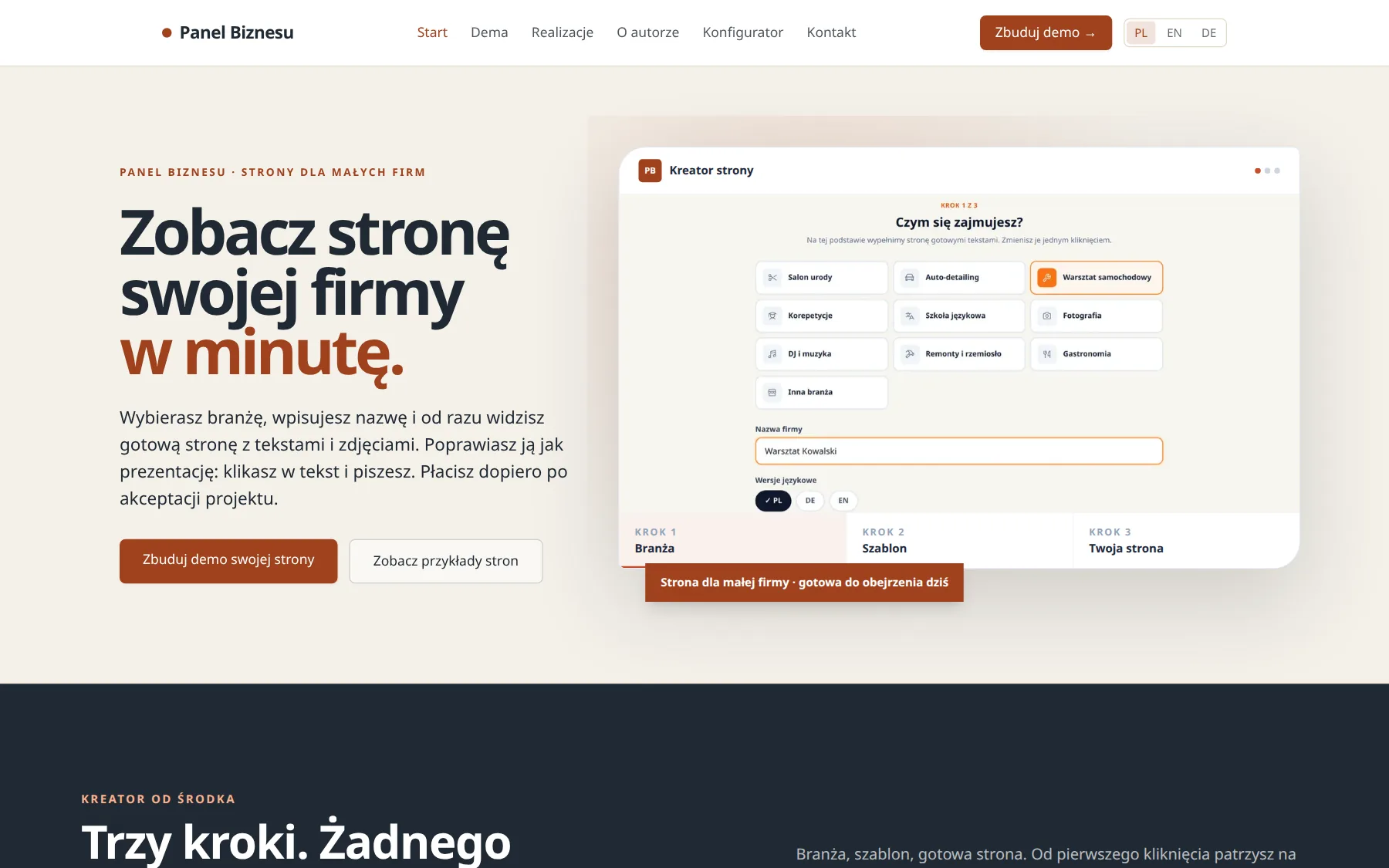
Pick one of nine trades (or “other”), type the business name and tick the languages the site needs. Nothing else to know.
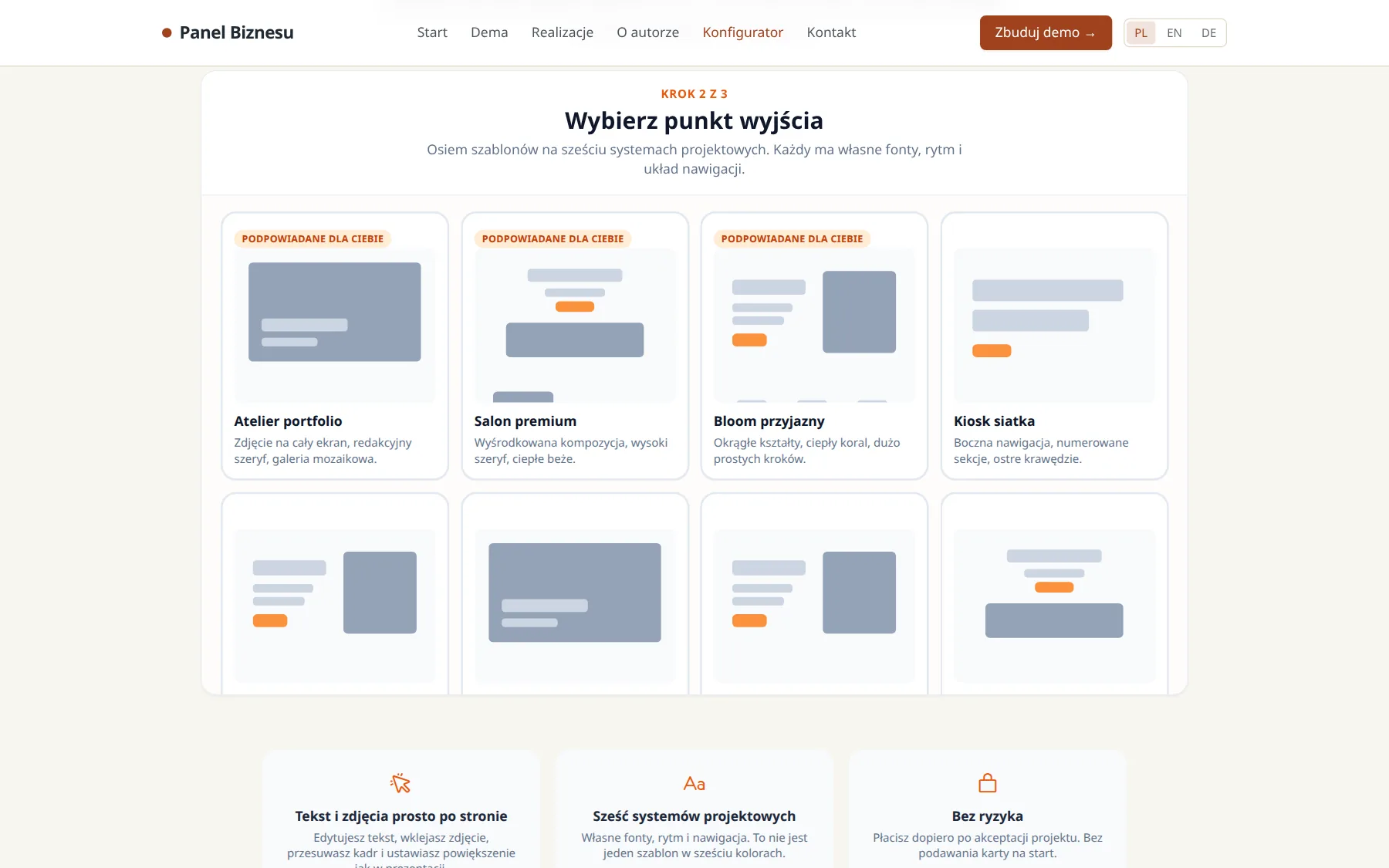
Eight starter templates, two of them multi page. Each already shows your name and copy for your trade, so you choose a look instead of imagining one.
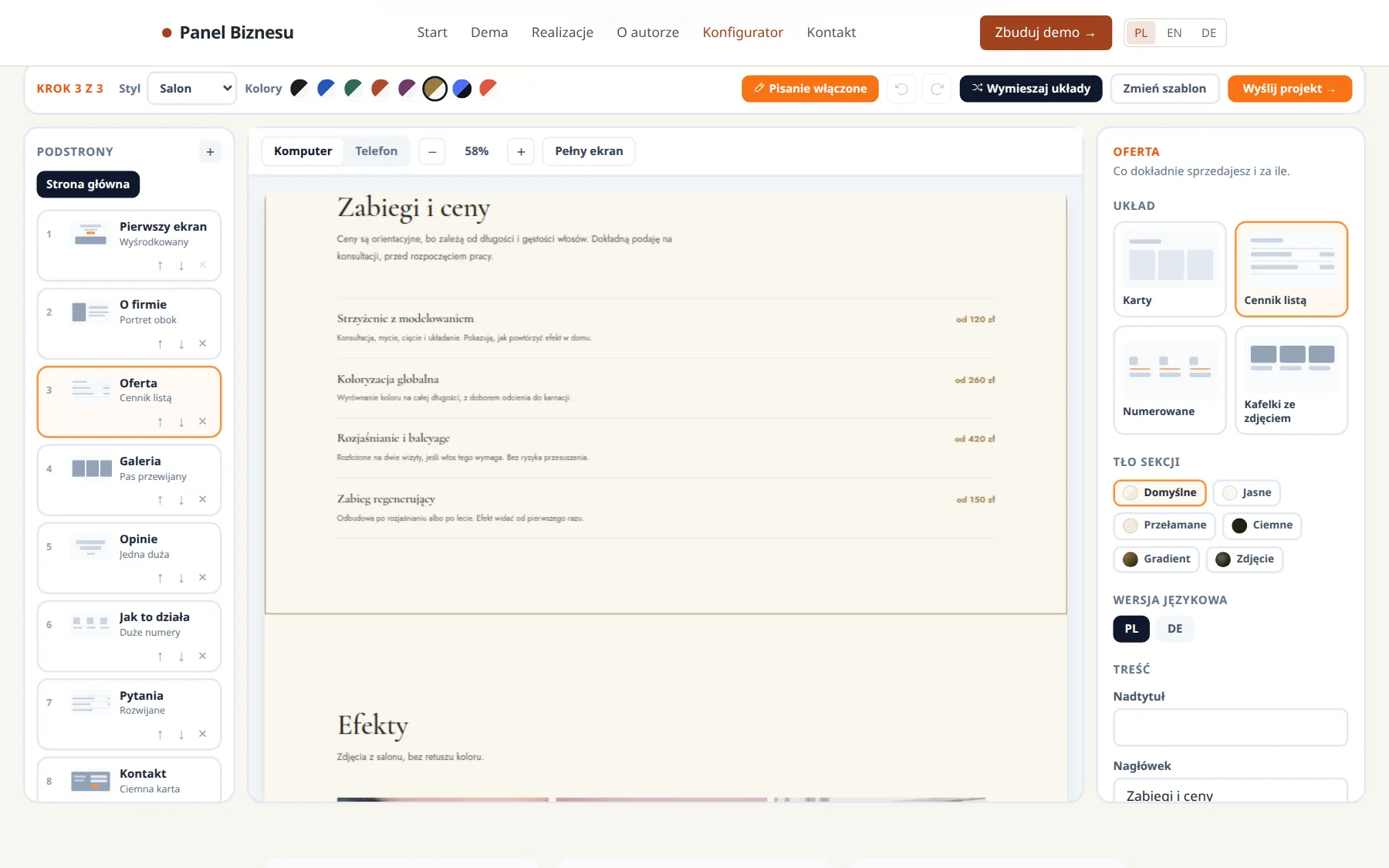
Sections on the left, the real page in the middle, settings on the right. You fix text by clicking it in the preview. You paste, drag or crop a photo in place. Every change saves itself, and Ctrl+Z goes back 50 steps.
The “Send project” button creates a link to a demo version. It carries two buttons: “I have comments” and “I approve”. No deposit, no card.

After approval I build the site into static files with a sitemap and robots.txt, upload them to Cloudflare Pages and connect the client’s domain. The bill comes once the site is live.
The owner gets a private editing link: the same preview without the trade and template choice. They change text and photos themselves, without calling me. Messages from the contact form land in the database and in their inbox.
In numbers
Architecture
The editor in the browser and the Worker that serves the demo use the same library, with no React in it (packages/site-builder). So the demo shows exactly what the client put together, down to the pixel, and not “a similar version from the server”.
A block variant is a separate HTML layout, not the same thing in another colour. Background and text colours are checked for contrast in pairs, so a client cannot assemble a page nobody can read.
What I threw out
The first version had more. I removed these things in September 2026, because they got in the way of exactly the people this product is for.
Nothing is sent until you press “Send project”.
Sites put together in the builder, as the client sees them.
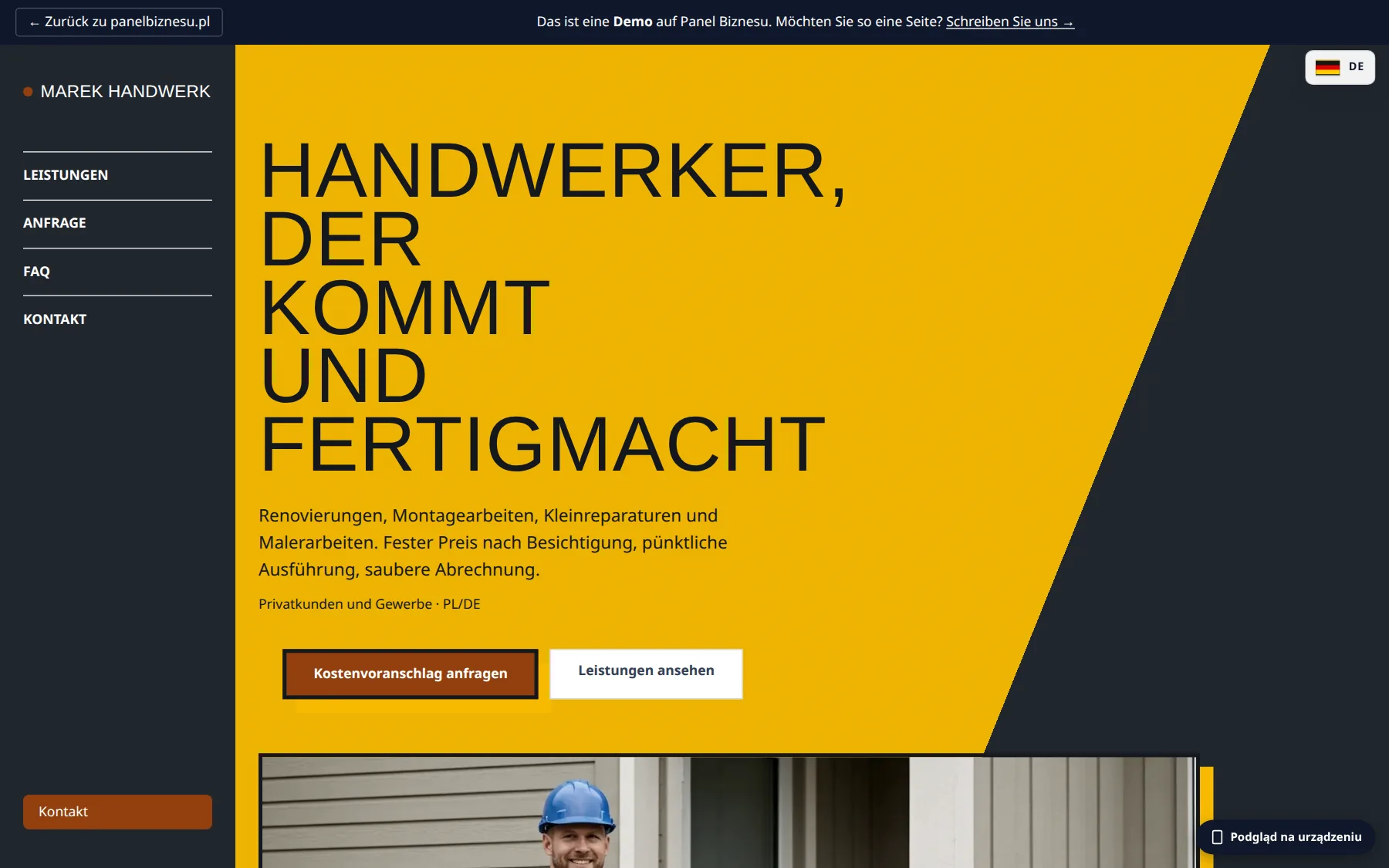
The same builder for businesses in Germany.
Stack
Tell me what you do and whether you already have a domain. I will show you what your site would look like in the builder before you pay anything.
Or write straight to my inbox:
a.grudzinski1992@gmail.comOther work