Adam Grudziński

Field service scheduling

Eight crews, hundreds of jobs and one plan for the day.

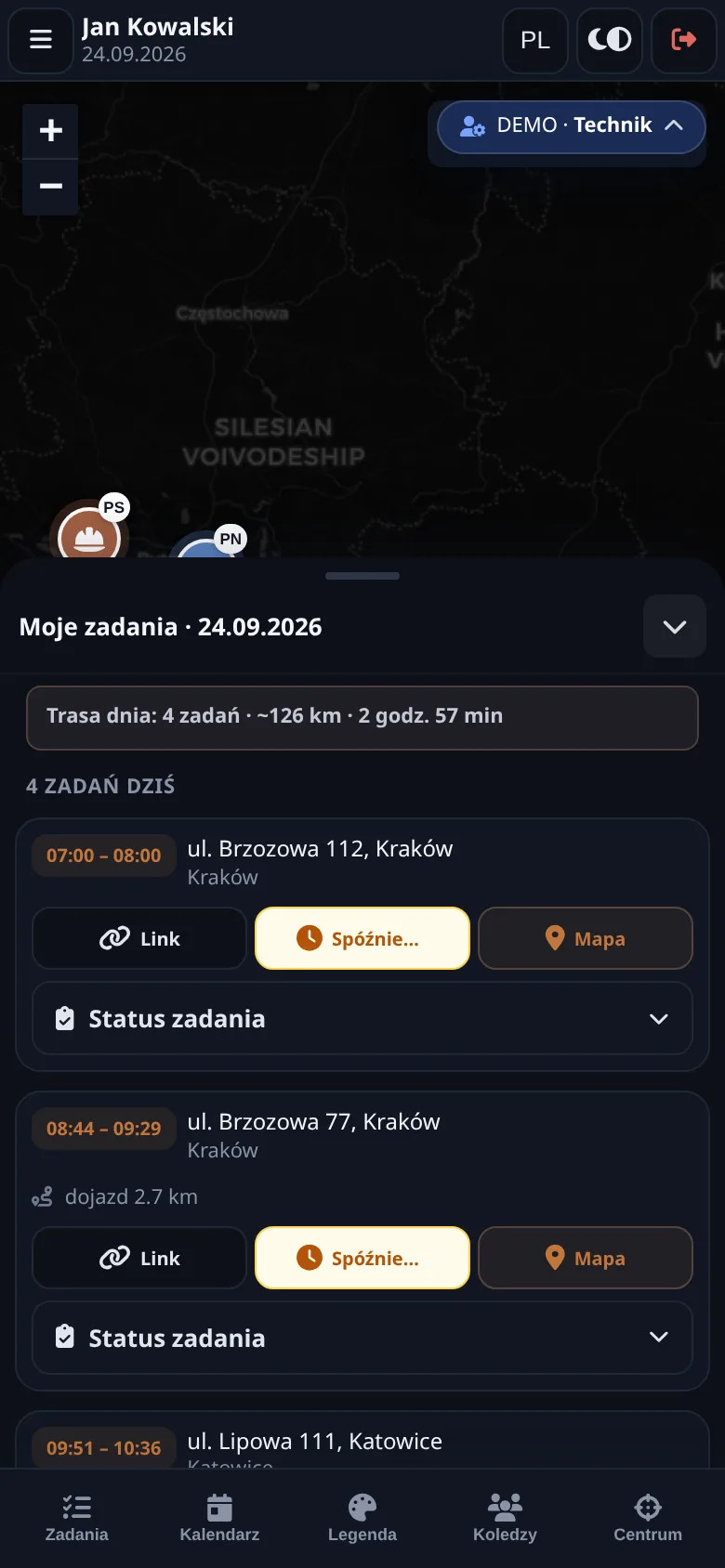
The dispatcher drags jobs onto the crew calendar and sees every technician on one map. The technician works on a phone, with or without signal. Recurring inspections create themselves and the visit report goes out as a PDF. A spreadsheet works as long as there are three crews.
Planer Operacyjny in two minutes
Technician view on a phone: the day’s jobs and route
For
solar, fibre, HVAC, electrical, fire safety service
Demo
no login: five trades, four roles
Technician
works on a phone, with or without signal
Documents
terms, privacy policy and SLA in three languages

The problem

The plan in Excel, routes in the dispatcher’s head, reports on paper.

An installation company with a few crews usually plans in a spreadsheet and on the phone. When a client moves an appointment, the dispatcher reworks the route in their head. When a technician finishes a fire extinguisher inspection, the report is handwritten and the office types it in later. The next inspection date lives in someone’s Outlook, if anyone put it there.

  • the plan in a spreadsheet
  • routes in the dispatcher’s head
  • reports on paper

Planer Operacyjny puts all of that in one place. One codebase serves many trades: the trade is configuration, not a separate app.

Modules

What is inside

  • Crew and job map

    Jobs and people on one layer. Geocoded addresses, daily routes on OpenStreetMap.
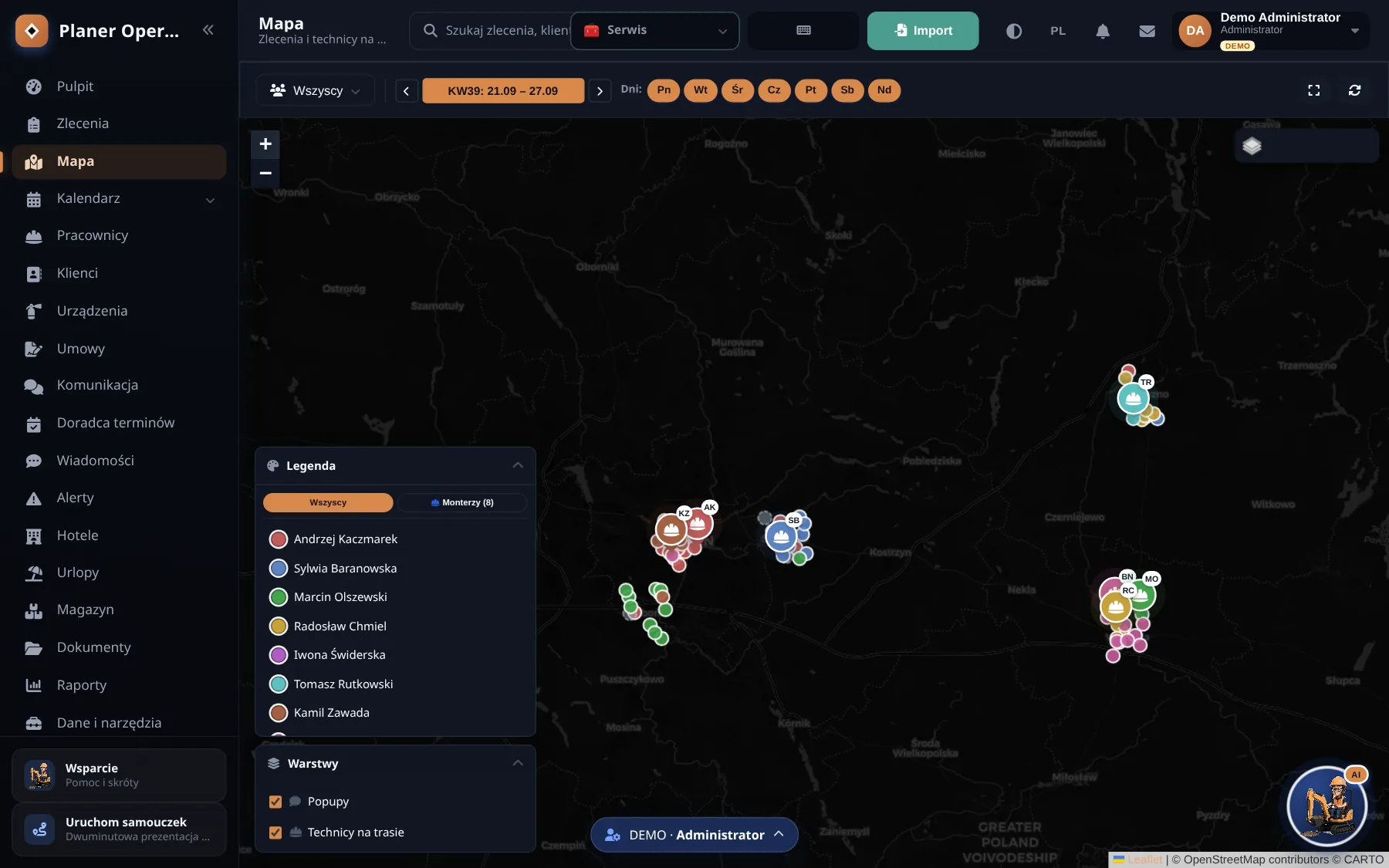
    The dispatcher map with crews and jobs in the Planer Operacyjny demo
  • Slot adviser

    Pin a job with no date and the planner finds a free slot with a crew that is heading that way anyway.

  • Client messages

    Ready templates in three languages: confirmation, change, reminder.

  • PDF report

    Generated in the browser, with photos. Images drop from 12 MB to about 400 kB, so the report fits in an email.

  • Calendar in three scales

    Day, week and month. Drag an appointment and the route is recalculated.
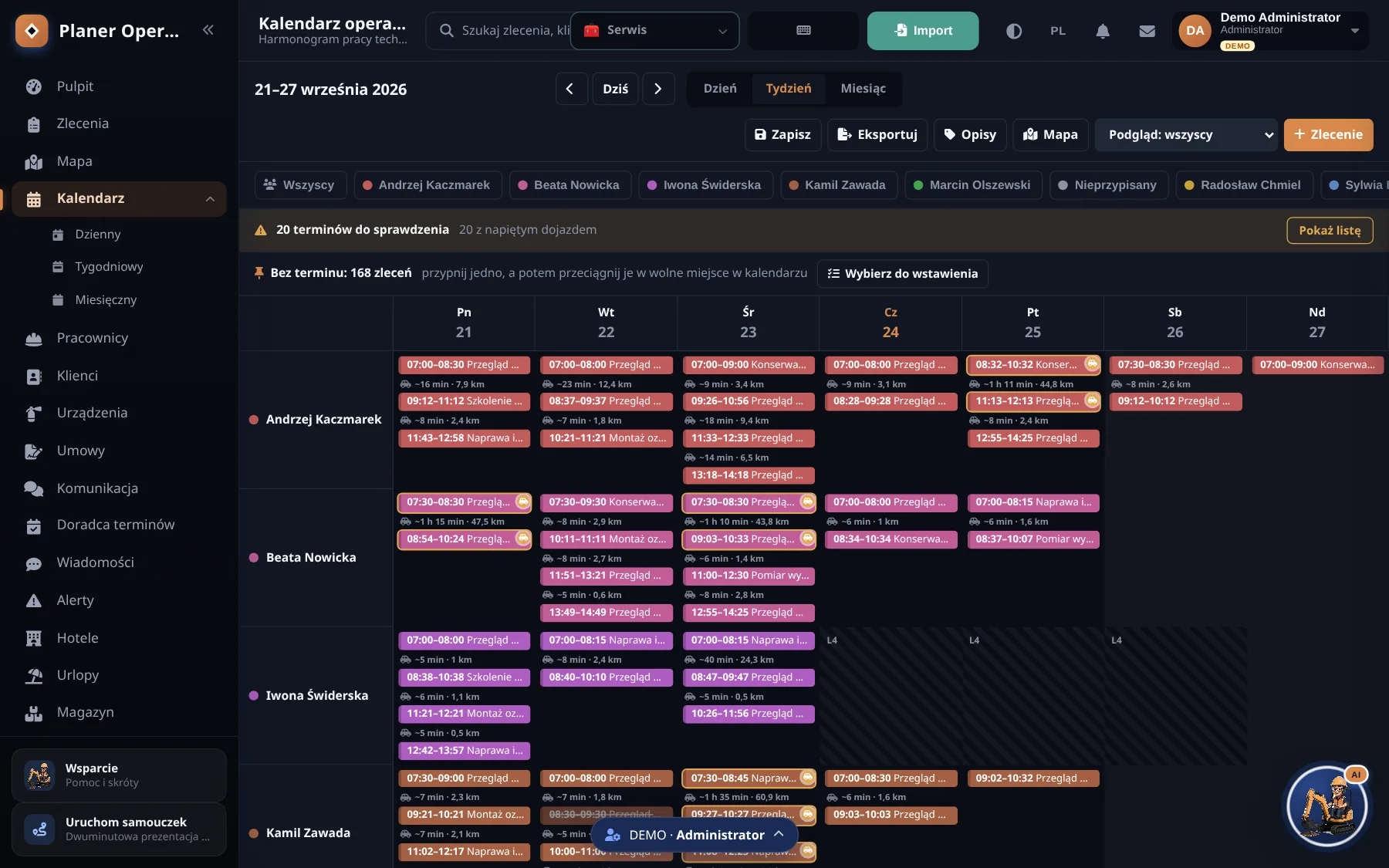
    Weekly crew calendar with travel time between jobs
  • Devices and service contracts

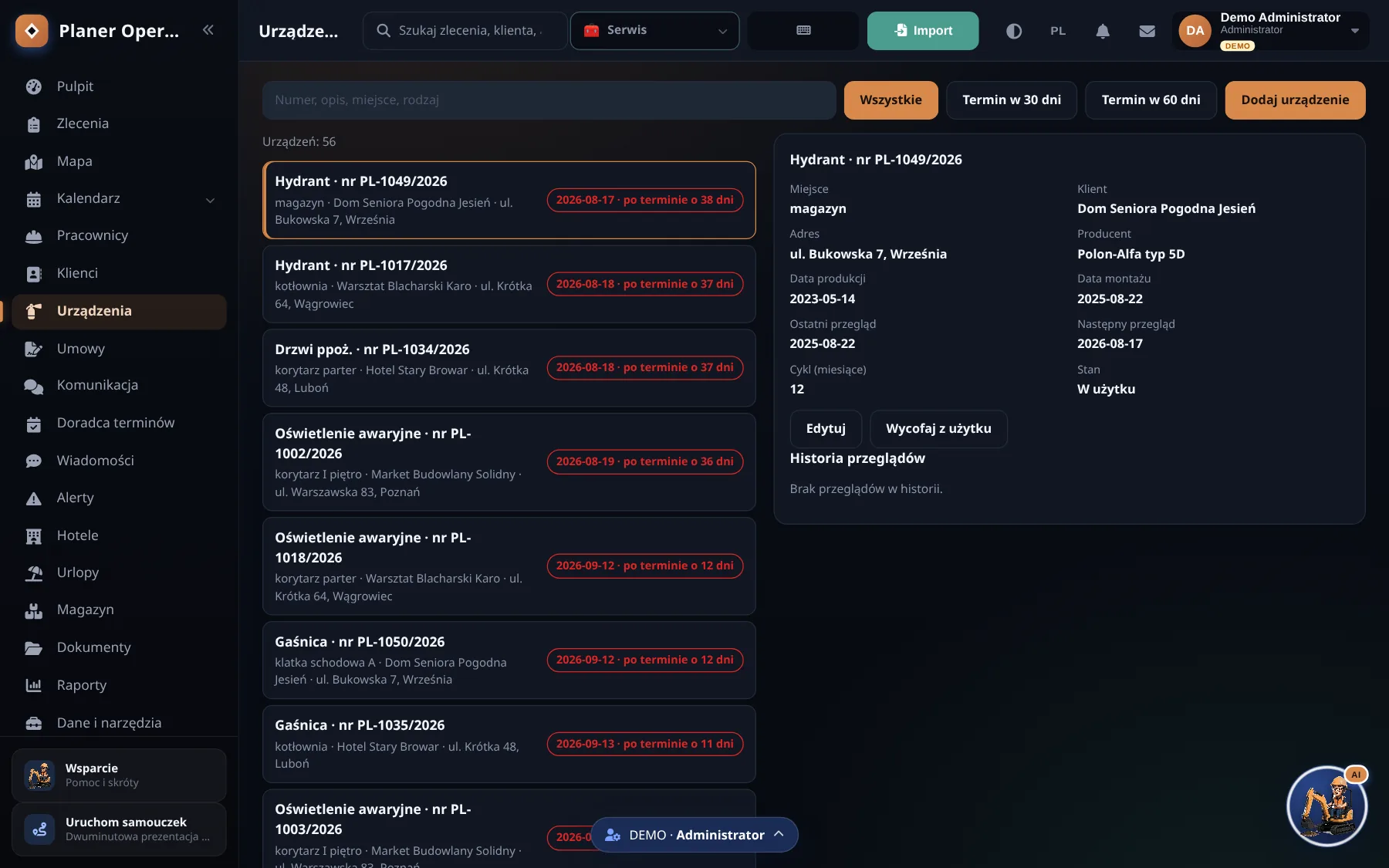
    A register of devices at each client and contracts with recurring inspections. The next job creates itself, exactly once.

  • Technicians, leave, hotels

    Who is available, who is on leave, where the crew sleeps on a trip.

  • Import and API

    Import from Excel and CSV. An integration API with per-company keys and webhooks through Cloudflare Queues.

  • German version

    A German interface, euro and German documents, not a machine translation of Polish terms.
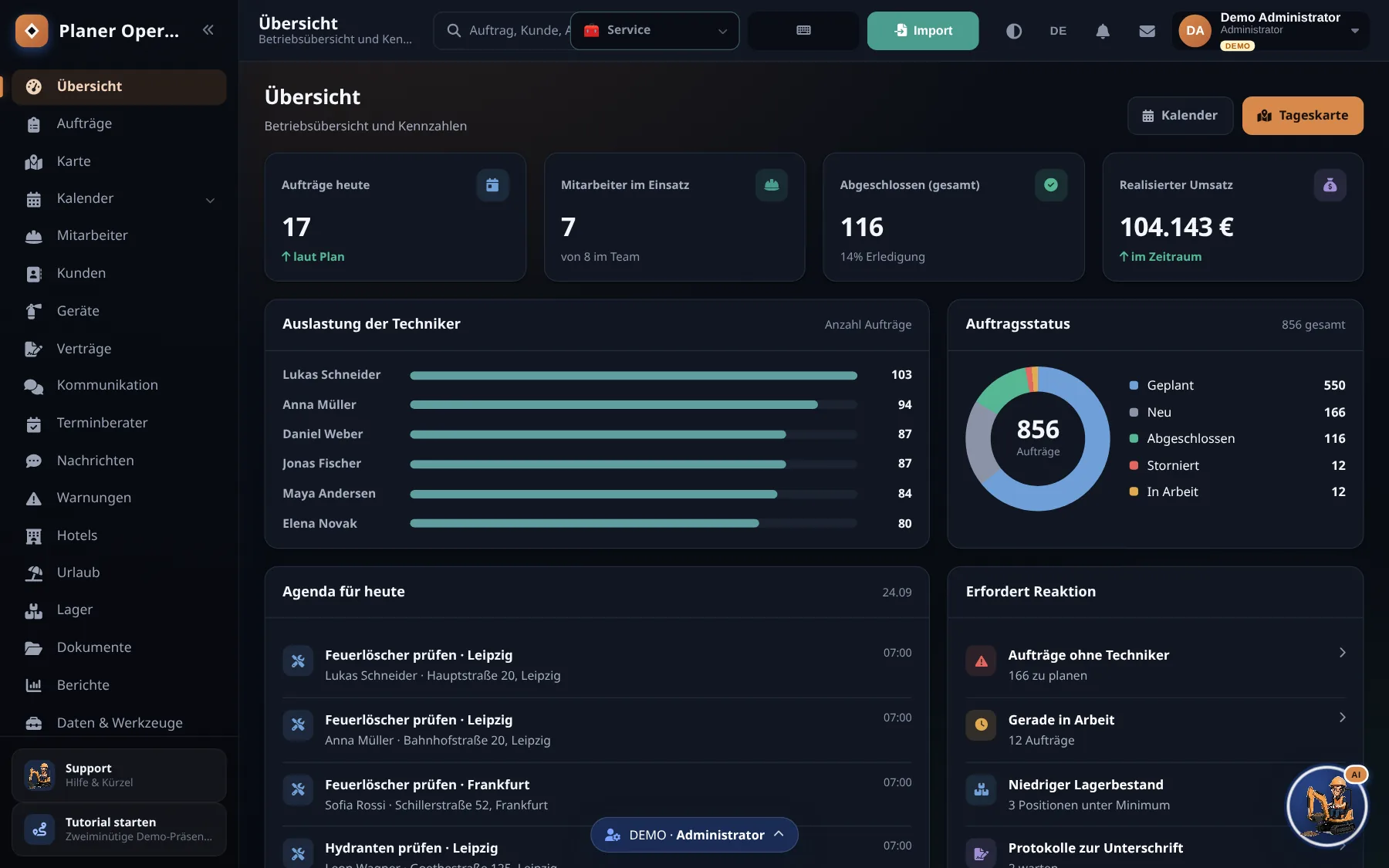
    The Planer dashboard in German, with German data and euro amounts

A demo for different trades

One app, five trades, four roles

The demo runs without an account. It opens on a fire safety service company (extinguishers, hydrants, inspections), and one click switches it to solar, fibre, HVAC or electrical. Jobs, devices, vocabulary and even the currency change: trades from the German market count in euro.

There are four profiles as well: admin, dispatcher, office and technician. Each sees what their job needs and nothing more.

The demo is honest about what is not there yet: photos and client signatures in the technician app are in preparation, and GPS in the demo is simulated.
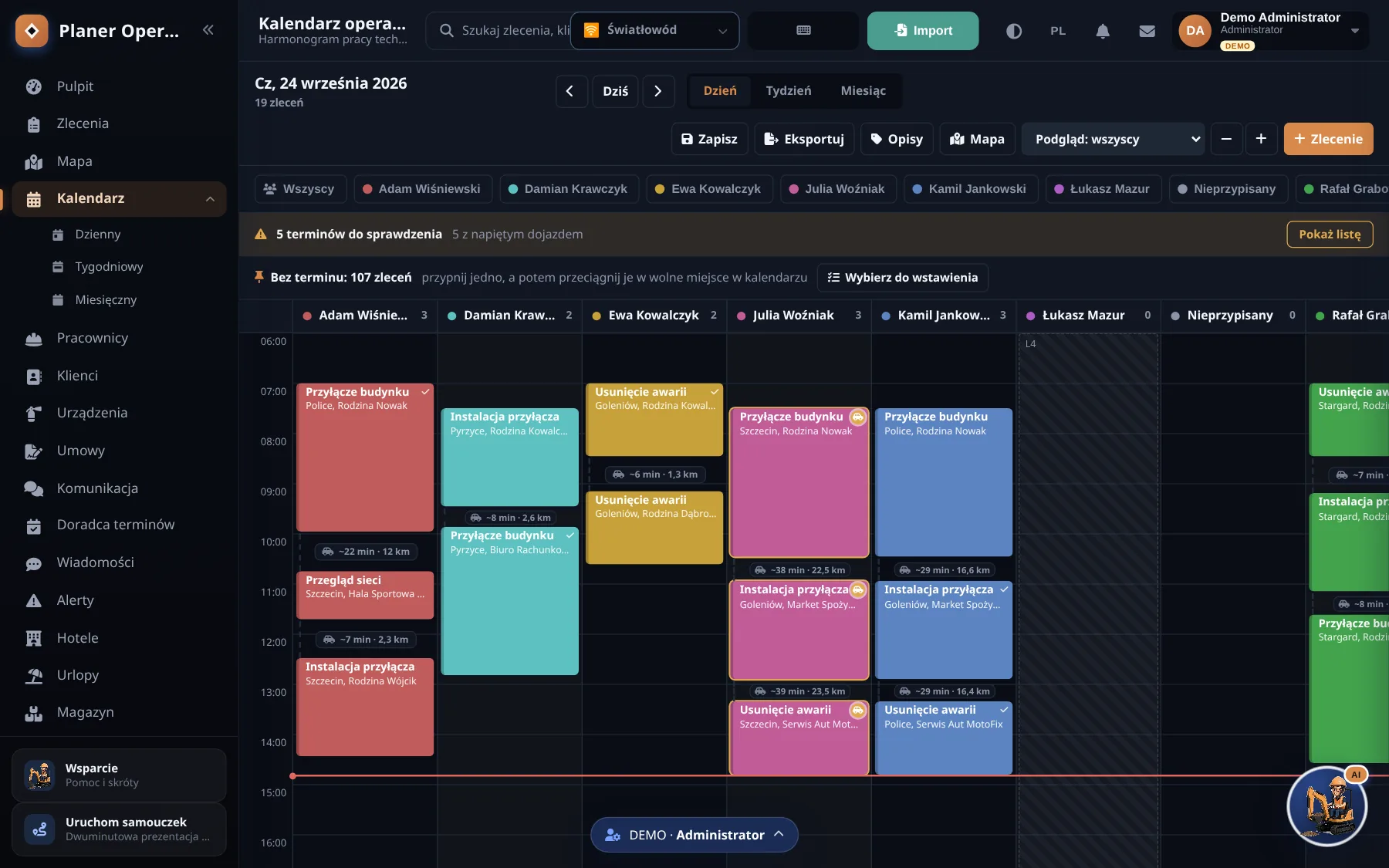
More screens

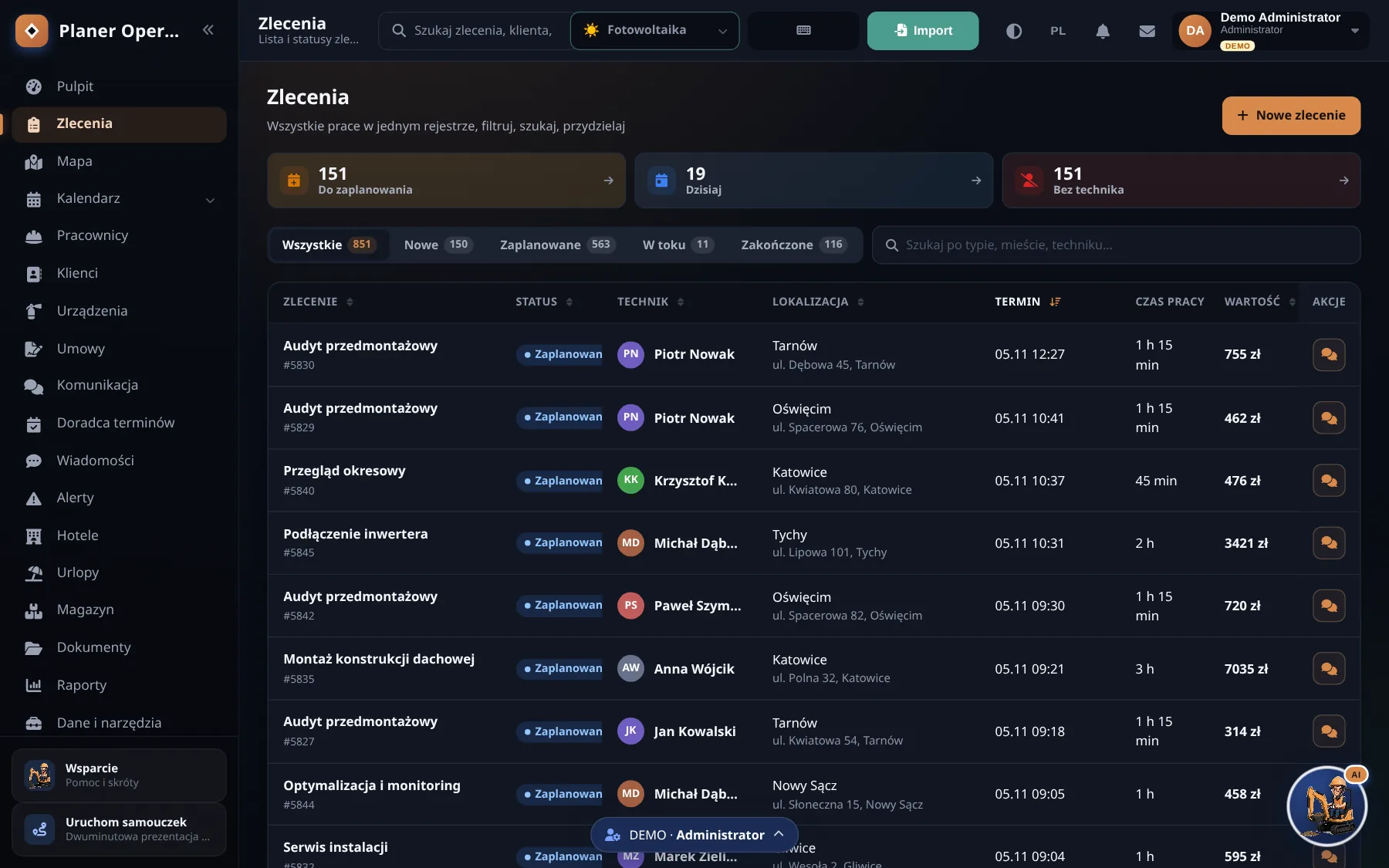
  • Fibre trade: daily technician calendar with connections and outages
    Fibre: connections, outages, network checks
  • Solar trade: the job register with installations and servicing
    Solar: audits, installations, servicing
  • Fire safety device register with inspection dates and history
    Fire safety: devices and inspection dates
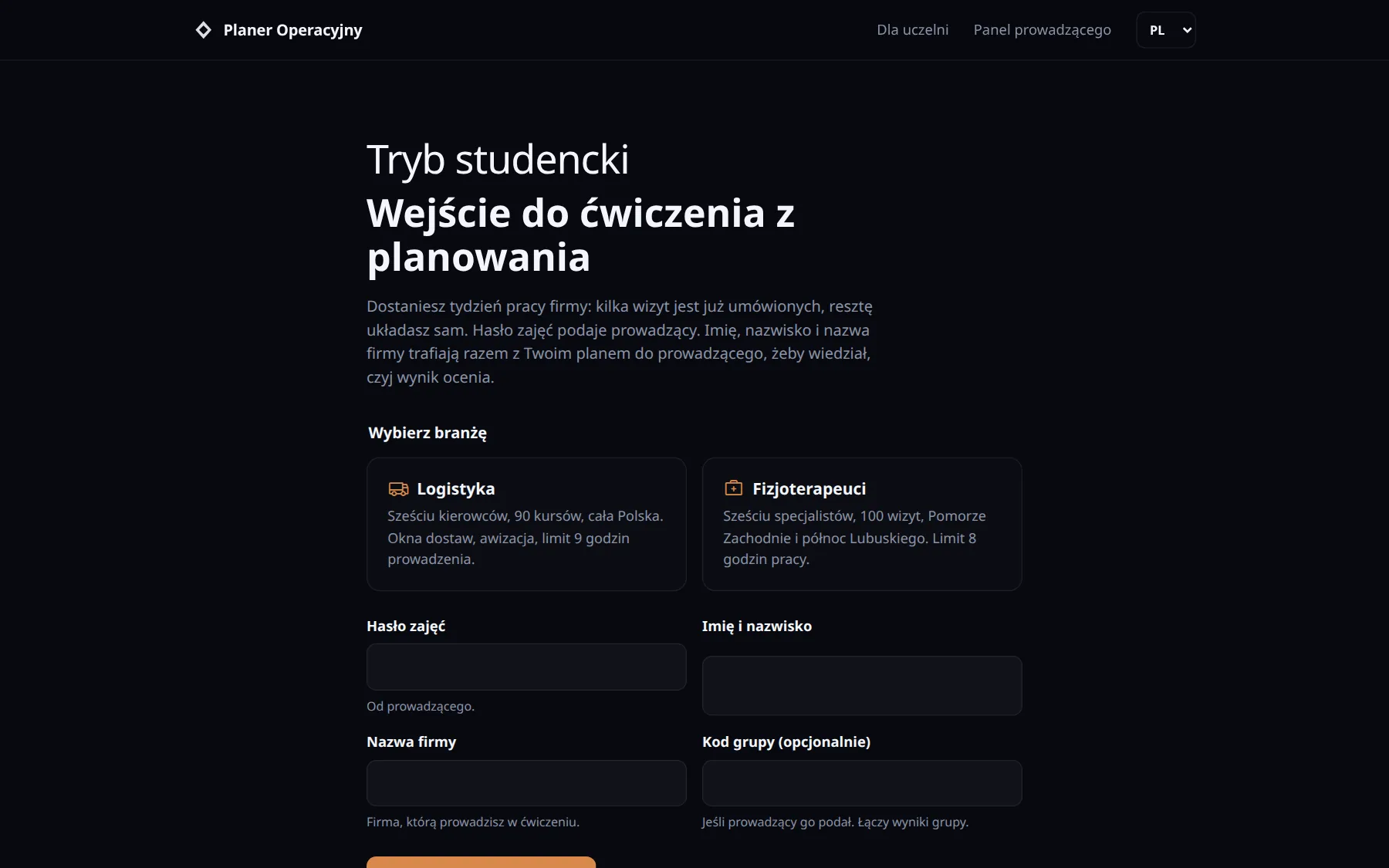
  • Student mode entry: choosing a lab, class password and company name
    Entry: lab and class password
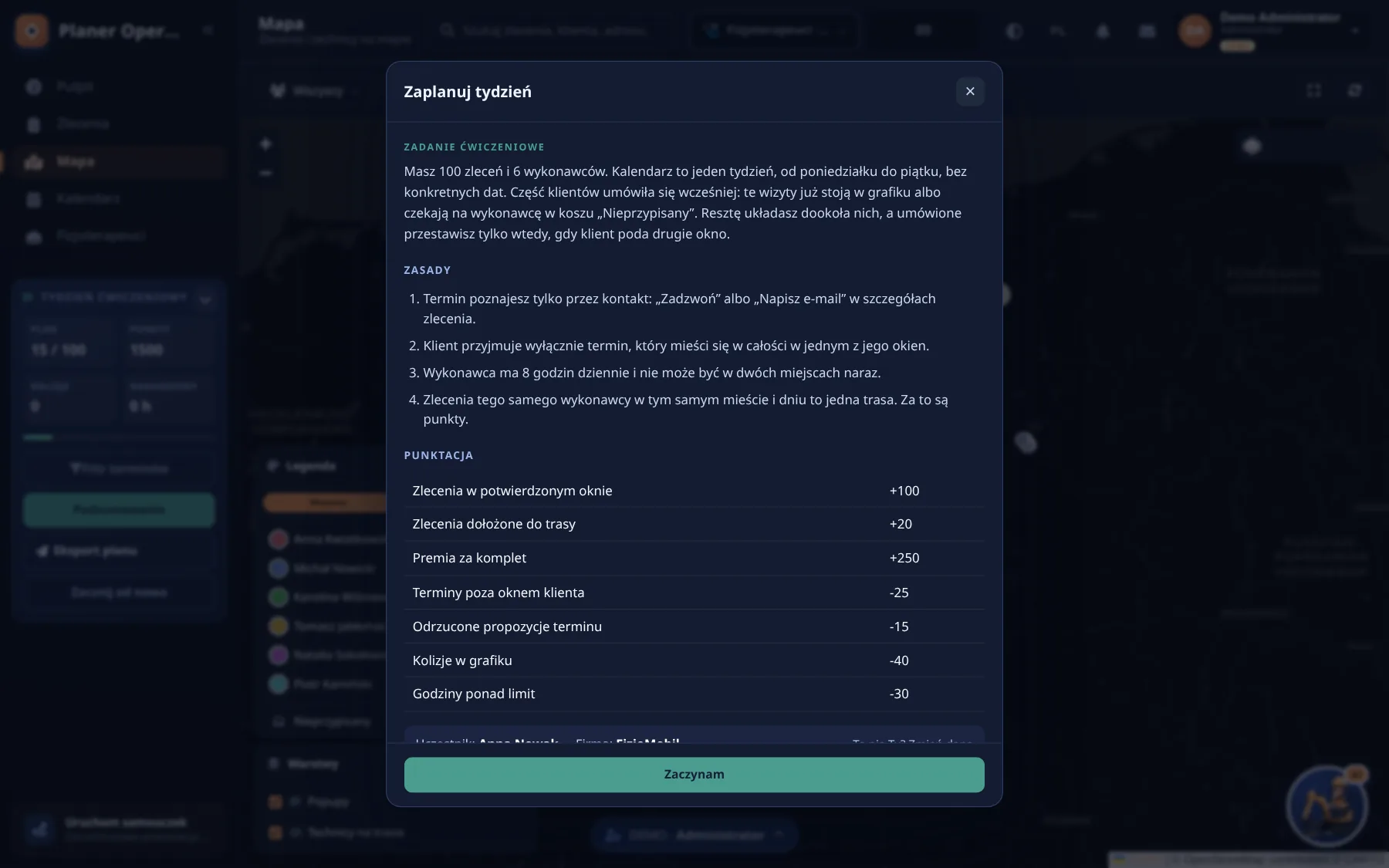
  • Mission rules and scoring table in student mode
    Rules and scoring
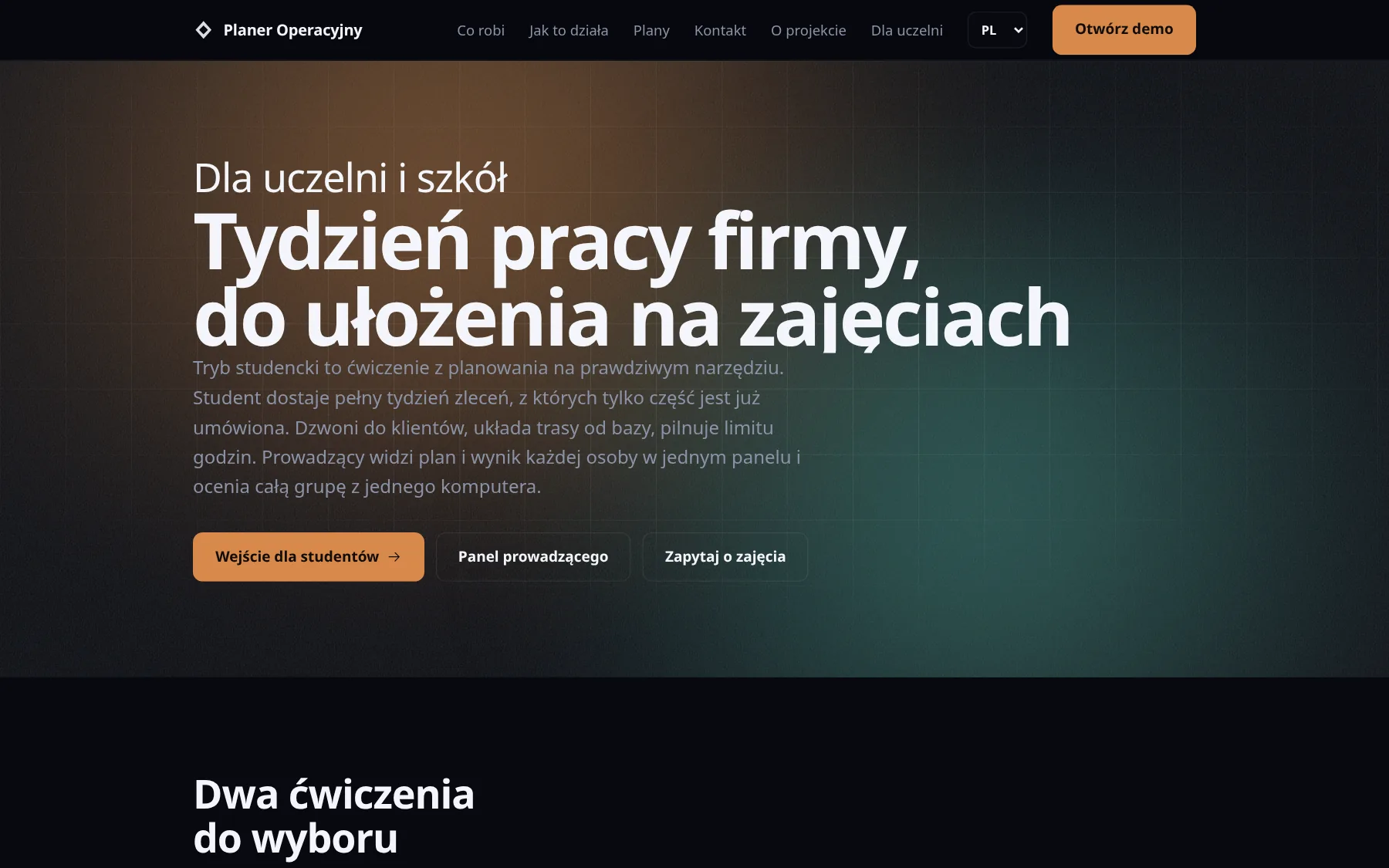
  • The page for universities with student entry and teacher panel
    Page for teachers

Student mode

A planning exercise for universities and schools

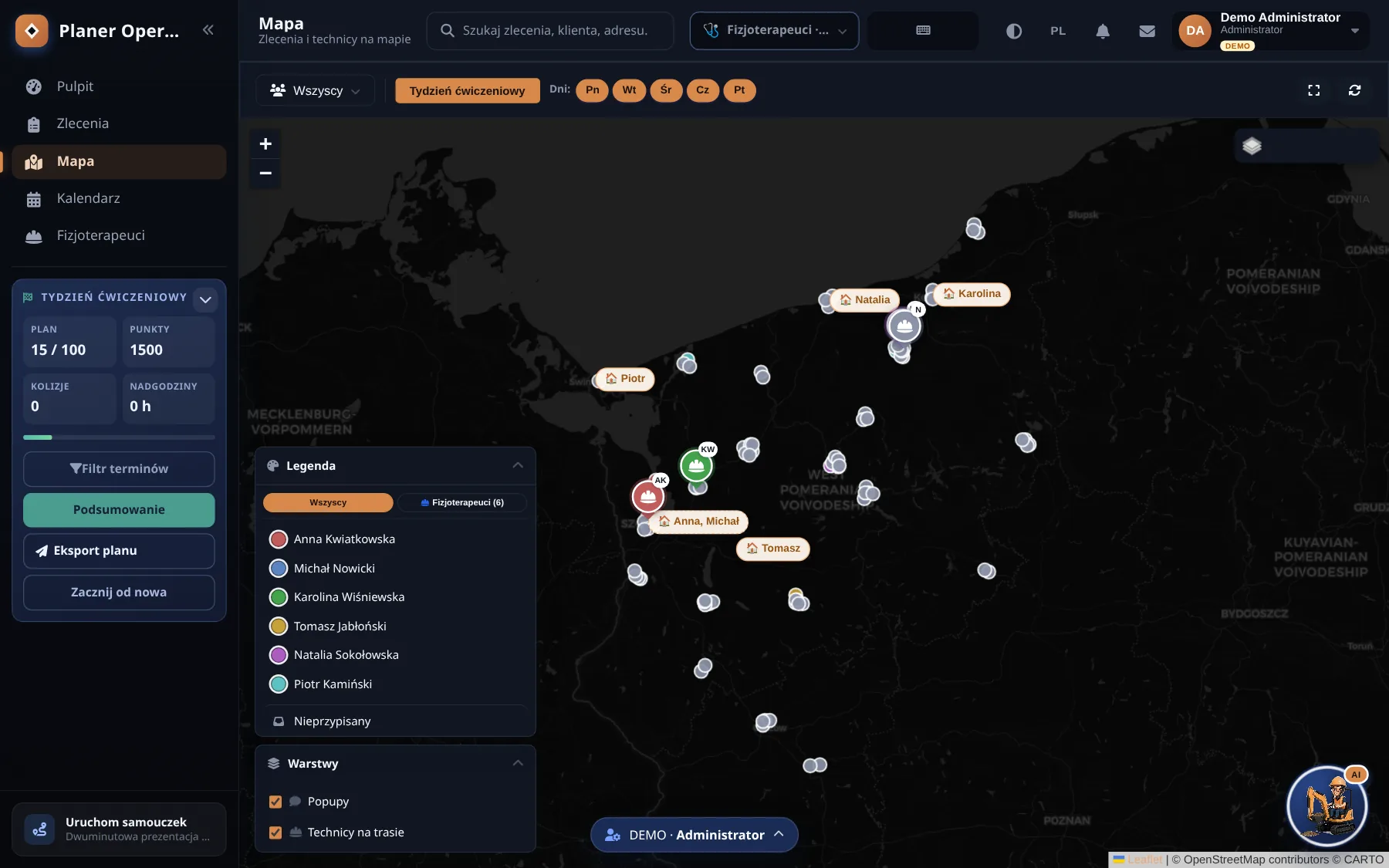
The student gets a working week, Monday to Friday with no dates, and has to plan it. The “physiotherapy” lab: six physiotherapists in West Pomerania, a hundred home visits, eight hours a day. The “logistics” lab: six drivers across Poland, ninety trips, nine hours of driving under EU regulation 561/2006.

Client time windows are not handed over. The student learns them from a simulated phone call or email, as in a real company. Points come for a visit inside a confirmed window, for adding a visit to an existing route and for a clean plan with no clashes; overtime and rejected proposals cost points. Ranks go from trainee to “route master”.

The teacher has a panel with the group’s results. Students need no account, just the class password. In German the map can be Poland or Germany (Berlin and Brandenburg for physiotherapy, all of Germany for logistics).
  • Plan scoring is one function covered by 21 test assertions.
  • The plan stays in the browser; only the result goes to the database.
Student mode: a planning task with visits to schedule over a week

Student mode

Two labs, one exercise

100
home visits to plan in the “physiotherapy” lab
90
trips in the “logistics” lab, six drivers across Poland
9 h
of driving a day, under EU regulation 561/2006
21
test assertions guard the plan scoring

Security and upkeep

Things the client does not see until they need them

  • Two factor login. TOTP per RFC 6238, written without an external library and checked against the RFC test vectors.
  • Nightly backups. A Worker copies every company’s database to R2 at 2:10. Restore tested on a second database.
  • Own pinger and status page. Checks Planer, Panel Biznesu and Algebra every five minutes. Email only when the state changes.
  • Company isolation. Every table carries a company id taken from the session, never from the request.
  • Works without signal. The technician view works offline. The mobile app queues changes and GPS points and sends them when the network is back.
  • Tests before deploy. Playwright walks the key paths before every deployment.

Three ways in, none needs an account

Demo

The planner as a company sees it.

  • five trades, switched with one click
  • four roles: admin, dispatcher, office, technician
  • GPS in the demo is simulated
Open the demo

Student mode

A planning exercise for class.

  • “physiotherapy” and “logistics” labs
  • the teacher gives out the class password
  • only the result goes to the database
Enter student mode

For universities

The exercise described for teachers (in Polish).

  • a teacher panel with group results
  • a map of Poland or Germany
  • no student accounts
Page for universities

Stack

What it runs on

  • JavaScript
  • React 19
  • Vite
  • Cloudflare Pages Functions
  • D1 (SQLite)
  • R2
  • Queues
  • Leaflet
  • OpenStreetMap
  • Expo / React Native
  • Resend
  • Playwright

Planning several crews in a spreadsheet?

Tell me your trade and how many crews you run. I will show you the planner on your own examples, or tell you honestly that the spreadsheet is still enough.

Or write straight to my inbox:

a.grudzinski1992@gmail.com
Reply time
usually the same day
Billing
contract per task, invoiced through Useme
Where
Szczecin, Poland. Remote, on site near the German border

The message lands in my mailbox and nowhere else. No newsletter.

Other work