
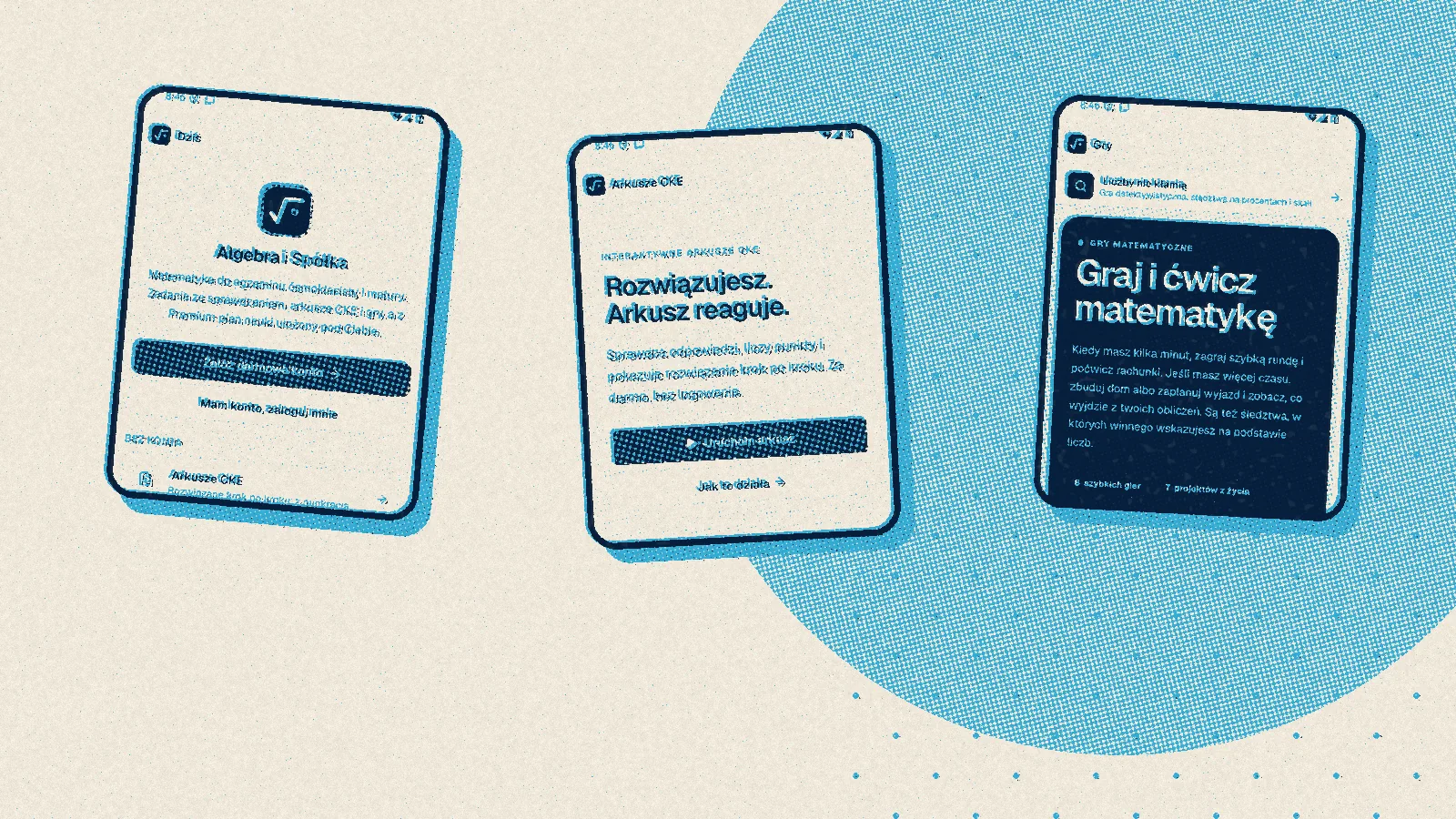
Until the beginning of October, Algebra was a website. You could open it on a phone, but it was still a website: a browser bar at the top, no icon on the home screen and no chance of working where there is no signal. On 5 October I changed the way I want to earn money with it. Instead of mainly selling lesson hours, I am betting on Premium, a subscription in which the platform guides the student through the material on its own (more on that in the next post). For that I need an app in Google Play and the App Store, not just a website, so the app stopped being an idea for some day.
One website, two wrappers
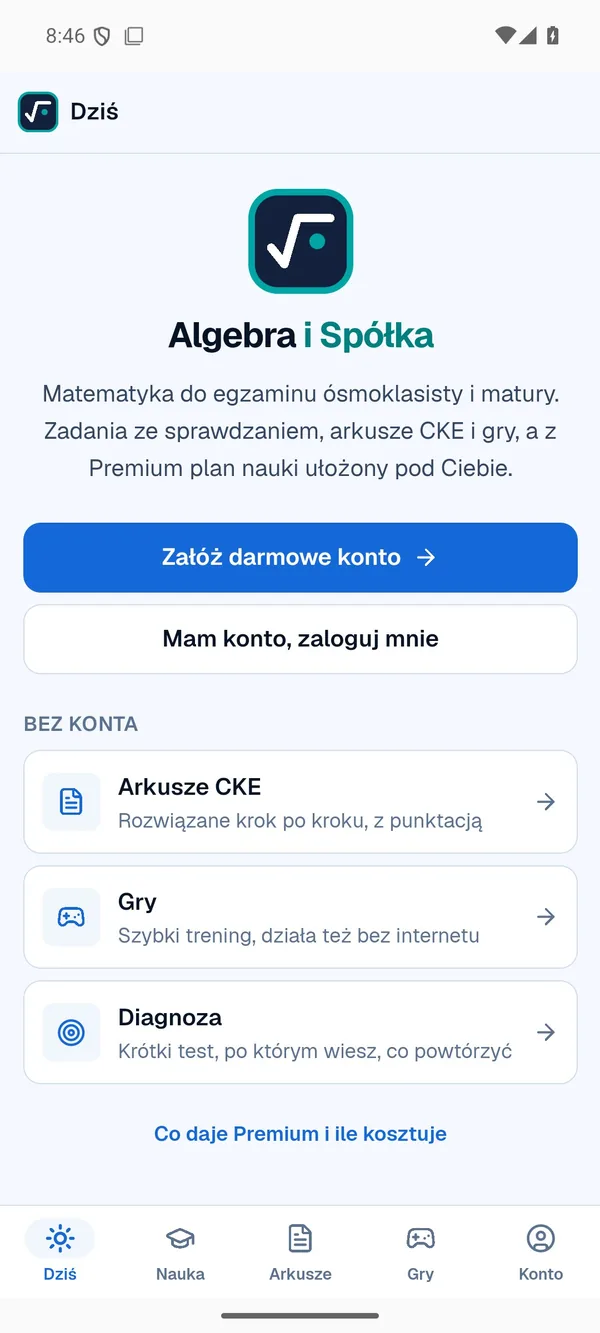
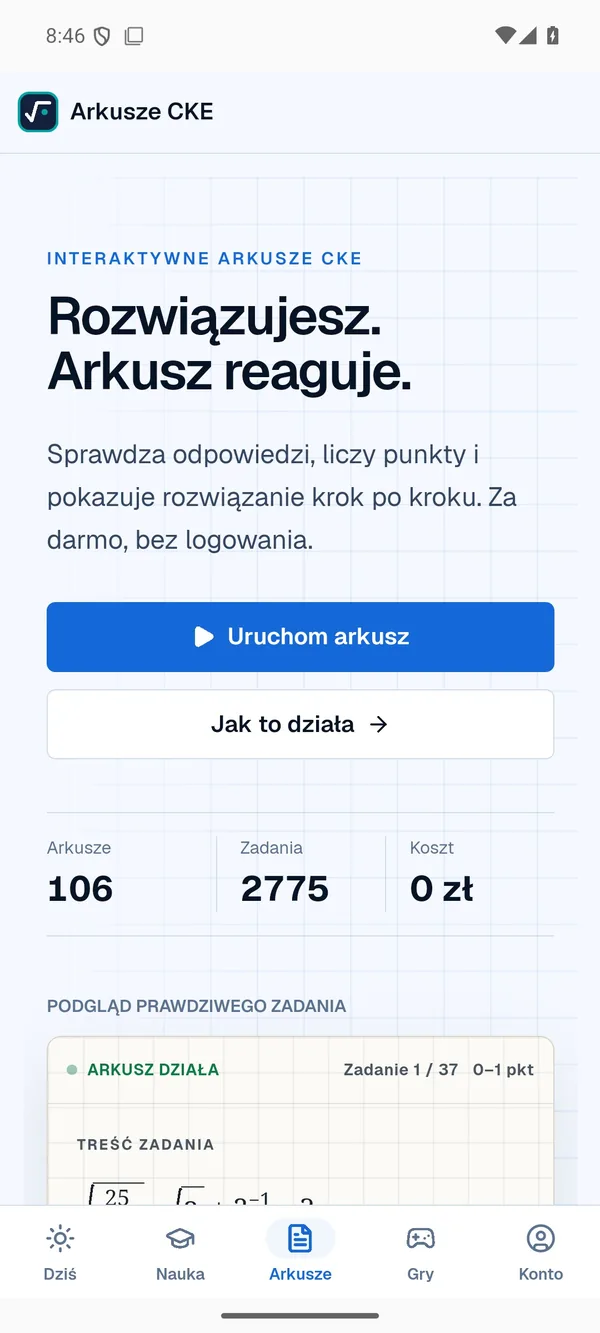
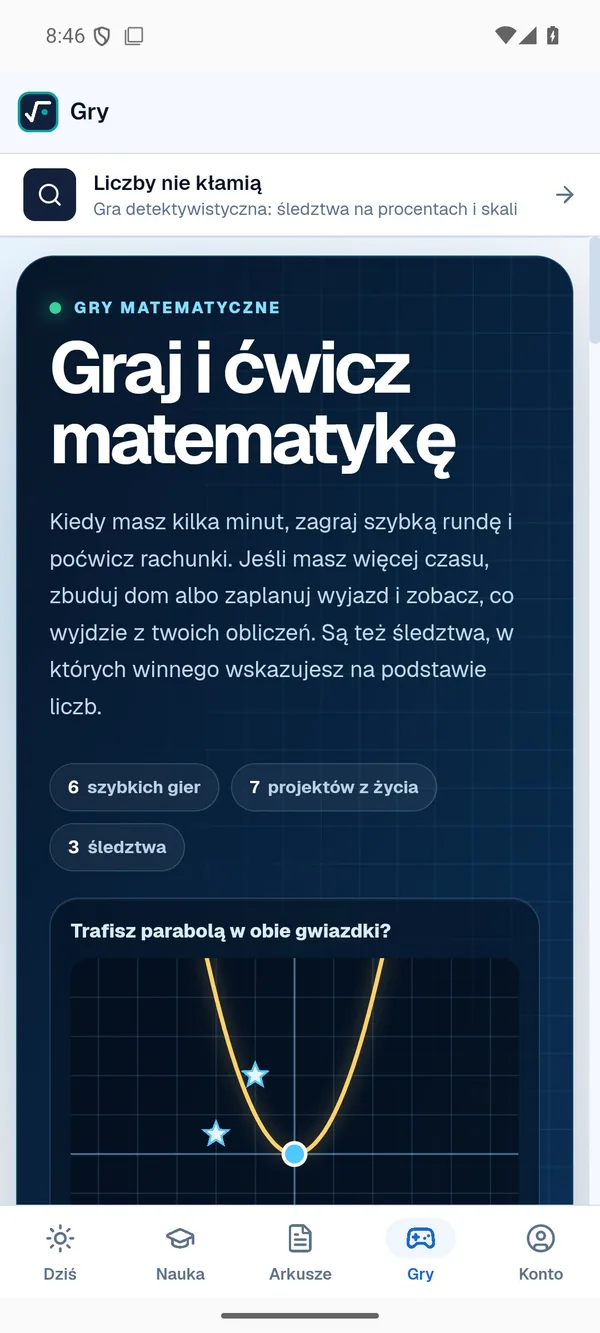
I didn't want to build everything twice. The screens a student sees on the website stayed the same, and the wrapper is Capacitor, a tool that packs a finished website into an app for Android and iOS. The website files travel inside the app, while the account, progress and results come from the same server as on the website. The differences are where the phone needs them: instead of a side menu there is a tab bar at the bottom (Today, Learning, Papers, Games and Account), the games work offline, and exam papers can be downloaded to the phone and solved on a bus where the signal keeps dropping. The full set of papers takes up about a hundred megabytes.
An app had existed before, but it contained nothing but the games arcade and never reached anyone. This time I started from scratch and with the whole platform. I built the Android version on my own computer and tested it on an emulator, a phone simulated by the computer, where six recorded scenarios click through the app by themselves and check that everything is in its place.
Apple wants a Mac
The iPhone is harder, because an iOS app can only be built in Xcode, Apple's own program, and Xcode only runs on a Mac. I don't have one and had no intention of buying one for a single app. The answer turned out to be Codemagic, a service that starts a virtual machine with Apple's operating system in the cloud for the duration of the build. The whole setup lives in a single file in my repository, so all that's left for me is a few clicks: I pick the version, press start and about six minutes later I have a finished app file. The free plan gives 500 minutes of such a machine a month, which is more than enough at my pace.
There was a catch, though. The file from Codemagic is unsigned, and an iPhone won't launch an app nobody has signed. Signing normally requires a paid Apple developer account at 99 dollars a year, which I haven't bought yet, so I looked for a way that works with an ordinary, free Apple account.
From Linux, over a cable
The first plan assumed I'd do the last step on Windows, because the most popular program for installing such apps, Sideloadly, needs iTunes, and iTunes doesn't exist on Linux. I didn't want to go back to Windows, so I turned to iloader, a lesser-known program that does the same job on Linux: it signs in with my Apple account, signs the app itself, registers the phone with the account and installs the app over the cable.
I got stuck at the sign-in. Linux can't introduce itself to Apple's servers the way a Mac does, so iloader uses a public go-between that answers on its behalf as if it were a Mac. The first such server kept dropping the connection, which for a while made it look like a problem with my account. Only after switching servers in the settings did the sign-in go through, and on the evening of 5 October Algebra was on my iPhone 16e, followed shortly by my iPad Pro.
Two steps remained on the device itself. On first launch, iOS warns about an untrusted developer, so you have to go into Settings, then General and VPN & Device Management, and trust your own account by hand. On top of that comes developer mode, which you switch on in the privacy settings and which requires restarting the phone.
Seven days
A free Apple account has its price, only you pay it in time: the signature expires after seven days and the app stops opening. In practice that would mean plugging the phone into the computer every week. To avoid it, on 7 October I installed SideStore on both devices, a free store-like app for apps from outside the App Store, which renews the signature from the phone itself. It gets help from LocalDevVPN, a small app from the App Store that lets SideStore talk to the phone as if it were connected to a computer by cable.
The hardware had its say too. At one point iloader stopped seeing the phone and data transfers broke off halfway. Moving the cable to a different port on the computer fixed it.
Fixes without a new build
What saves me the most time is something you can't see from the outside at all. Since the second version, the app updates itself: when it opens, it checks whether newer screens are waiting on the server, downloads them in the background and switches to them once it leaves the screen. The package weighs about 18 MB and is created with every website release, so a corrected text or button reaches the phone the same day, without Codemagic and without a cable. I only build a new version in the cloud when something changes in the app itself, such as the icon or camera permissions.
An app is not a website in a frame
Once the app worked, it was time to check whether it was comfortable to use. I went through the screens on my computer in WebKit, the engine Safari runs on, using test accounts for a student, a tutor and an administrator. Plenty of small things came up: buttons too small for a finger (they are now at least 44 points, as Apple recommends), a paper that refused to scroll and a chat window spilling off the screen. The games in the Learning tab sat in a box roughly 350 pixels tall that had to be scrolled from inside, so on 7 October they got the full height between the tabs and the bottom bar.
One change came straight from how I used the app myself. At first, some pages, such as the offer, contact or booking, opened in the browser outside the app, and I really didn't like that. Since 6 October the whole website fits inside the app, including the lesson room with camera and microphone and the tutor's panel, and only payment and WhatsApp still leave it. This morning I also made eight screenshots for the Google Play and App Store listings, because in a store an app has to introduce itself somehow.
What it cost
Nothing so far. Codemagic's free plan, iloader, SideStore and LocalDevVPN cost nothing, and an ordinary Apple account is enough for signing. You pay with limitations instead: one device holds at most three apps installed this way, and buying Premium inside the app won't work, because in-app payments on the iPhone are handled only by the App Store. An account with Premium bought on the website works in the app as usual.
This route is enough for my own testing, but not for a stranger to install the app. That takes a paid developer account, then TestFlight, Apple's official testing app, and finally the App Store review. But that is the subject of the next post, about what I'm up against now.